Surprising fact: studies show that people with a simple capture habit cut missed follow-ups by over 50% in weeks. That kind of change turns busy weeks into steady progress.
This guide promises less overwhelm, clearer priorities, and steady progress on long-term goals without burnout. You will learn how a friction-less workflow reduces mental tabs and makes weekly execution more predictable.
We will show multiple proven methods, explain when each works best, and give low-friction setups you can run in Google Calendar, Trello, or Todoist. Expect practical picks from David Allen, Dwight D. Eisenhower, and Leo Babauta.
Read this as a toolkit: pick one base method and one supporting approach (for example, a GTD-style capture plus time blocking), then try them for two weeks before changing anything.
Why Productivity Systems Matter for Busy Professionals
When your calendar is full but progress stalls, a repeatable approach can restore steady results. Busy people trade real progress for motion when email, chat, and meetings dominate the day.
From “always busy” to consistently effective work
The common trap: a packed calendar and constant Slack pings create motion, not progress. Important tasks get pushed to “later” while shallow work consumes time.
Reducing decision fatigue and mental overload with repeatable frameworks
Decision fatigue is simple: choosing “what next?” dozens of times burns willpower. A capture habit and clear next actions free mental space.
What a “friction-less workflow” looks like in real life
- Shorter inbox sessions and fewer late-night catch-ups.
- A steady routine for capturing inputs, deciding next steps, and reviewing priorities.
- Better reliability on deadlines and fewer missed commitments — crucial for people who switch context often.
Focus is not intensity. Good methods make it easy to start, stop, and resume work intentionally. If your approach keeps adding overhead, it is likely the wrong fit.
What Are Productivity Systems and What They’re Not
Effective routines are not magic; they are simple practices that turn inputs into clear next actions.
Definition: A productivity system is a set of practices, guidelines, methodologies, and tools that help you get things done efficiently and reliably. This includes frameworks like the Eisenhower Matrix, workflows such as GTD, and task apps when they support a method.
Boundaries and myths
These approaches are not a personality replacement or a motivation cure. They don’t remove the need to do actual work.
Many people think a new app fixes everything. In reality, tools only amplify the habits you already have. Start with habits, then choose tools that match them.
Flexible adoption and minimum viable setup
Flexibility beats rigidity. Scale a system up or down for travel weeks, heavy meeting seasons, or high-focus sprints.
Use a minimum viable system: pick a few core steps that keep you consistent, then add complexity only when it solves a real problem.
Evaluation and mixing
Judge a method by three outcomes: clear next actions, protected focus, and visible weekly priorities.
| What it includes | What it is not | When to scale |
|---|---|---|
| Frameworks, workflows, and supporting tools | Not a personality fix or a motivation shortcut | When missed tasks or chaos persist |
| Capture + prioritization + focus methods | Not a substitute for doing the work | Increase when complexity blocks progress |
| Repeatable steps that make things get done | Not just buying another app | Scale down during travel or high-meeting weeks |
Practical tip: Combine one capture method, one prioritization approach, and one time/focus technique. Avoid stacking overlapping systems that create friction.
How to Choose Between Productivity Systems Without Wasting Time
Choosing the right approach cuts setup time and keeps you focused on actual work. Use a quick decision framework to stop experimenting and start shipping. The checklist below saves time and reduces mental overhead.
Fast selection checklist
- How you think: visual, tactile, or abstract.
- How much setup you can tolerate this week: low, medium, high.
- What is breaking now: capture, prioritization, focus, or scheduling.
Workstyle mapping with examples
Visual people often do best with Kanban boards to see project flow.
Tactile planners prefer paper bullet journals for daily habit and list control.
Abstract thinkers like simple lists and context tags to group related work.
Startup-effort guide and bottleneck matching
| Start-up | When to pick | Example fit |
|---|---|---|
| Low | Need immediate relief | GTD-lite or simple lists |
| Medium | Sustainable change | Time blocking or Eisenhower |
Match bottlenecks: if tasks leak, choose GTD-lite; if priorities blur, use Eisenhower; if time vanishes, try time blocking; if distractions win, try Pomodoro.
Switching rules and mixing safety
Change one variable at a time and run a two-week test. Measure missed deadlines, inbox time, and days you hit MITs.
Avoid duplicating capture: keep one trusted inbox and one calendar. If the setup demands more time than it returns, it is not the right fit.
Productivity Systems for Task Capture and Clear Next Actions
Capturing commitments immediately is the single action that prevents hidden work from derailing weeks.
Why capture matters: if new tasks don’t enter a trusted inbox, your calendar and priorities will be incomplete. That makes planning fragile and focus unreliable.
Getting Things Done for complex workloads
For heavy volumes, getting things done gives a full workflow: capture, clarify, organize, reflect, engage. It moves items out of your head and into a reliable queue of next actions.
Simple to-do list upgrades
A basic to-do list can become a dumping ground. Fix it by adding clear verbs, time estimates, and a three-item “today” list.
- Turn vague entries into next steps: change “Budget” to “Prepare Q2 budget deck — draft slide outline.”
- Mark projects vs. tasks: anything with multiple steps becomes a project with one defined next action.
- Use one capture funnel: a single app or notebook where every new commitment goes immediately.
| Approach | Best for | Core benefit |
|---|---|---|
| GTD | Multi-project roles | Complete workflow and reliable next actions |
| Upgraded to-do list | Lightweight control | Faster setup, less backlog |
| Basic list | Short-term notes | Quick capture, needs regular cleaning |
Do this today: pick one inbox, clean five vague entries into explicit next steps, and set a three-item today list. Use paper, Notes, Todoist, Things 3, or Asana — the right tools matter less than consistency.
Getting Things Done for Total Task Management Clarity
GTD converts scattered commitments into a reliable flow of actionable items you can trust.
How the loop works:
Capture, clarify, organize, reflect, engage
Capture everything into one inbox. Clarify if an item is actionable or reference.
Organize actions into Next Actions, Projects, Waiting For, and Someday/Maybe. Reflect with a short weekly review. Engage by choosing work based on priority, available time, and energy.
Who benefits most
Best fit: program managers, consultants, operations leads, and anyone juggling many stakeholders and projects. It shines when context switches are frequent and management of open loops matters.
Simplify GTD without losing control
Use GTD-lite: keep just five lists — Inbox, Next Actions, Projects, Waiting For, Someday/Maybe. Avoid over-tagging and too many contexts.
If you don’t review a category weekly, delete it. If an item isn’t actionable, move it to reference or someday/maybe.
Common friction points and fixes
Over-categorizing burns time. Fix: merge similar contexts and limit context types to three.
Multiple capture sites break trust. Fix: pick one capture method and process it daily for 2–5 minutes.
Skipping the weekly review causes task debt. Fix: schedule 30–60 minutes weekly and treat it as non-negotiable.
Tools that help without adding complexity
Choose by tolerance for setup: Todoist or Things 3 for individuals, Asana for teams, or a paper notebook for offline capture.
Use simple tags, short project names, and a trusted inbox. Keep tools to a minimum so the method, not the app, does the heavy lifting.
| Element | GTD-lite Setup | Why it works |
|---|---|---|
| Inbox | Single capture funnel | Prevents lost items and reduces mental load |
| Next Actions | Clear, verb-led tasks | Enables immediate execution |
| Projects | Short list of active projects | Keeps focus on current commitments |
| Weekly Review | 30–60 minutes | Maintains trust and prevents task debt |
| Tools | Todoist / Things 3 / Asana / Paper | Match tool to complexity tolerance |
Inbox Zero for Email Management and Focus Protection
Make your email a tool, not a taskmaster. Inbox Zero here means minimizing the time your brain lives in the inbox so messages stop driving your day.
The goal of “zero”
Zero is not perfection. It is about reducing cognitive occupancy so you can protect focus and plan your day.
Core actions: delete, delegate, respond, defer, do
Delete low-value notifications immediately. Delegate customer follow-ups to the right owner. Respond when a reply takes under two minutes. Defer by scheduling a reply block. Do by converting urgent messages into immediate tasks.
Batch processing and boundaries
Process email in 2–3 windows (late morning, mid-afternoon, end-of-day). Keep the client closed outside those blocks to cut distractions and save time.
Convert email to task rule: if it needs more than a quick reply, put a next action in your task system and archive the message. This keeps your inbox clean and your workflow reliable.
Team boundaries and outcomes
Set clear response expectations, for example: “I check email at 11 and 4.” That reduces fear of missing something and protects deep work.
Results: less stress, fewer missed requests, and more uninterrupted hours to get done the highest-impact work.
Productivity Systems for Priorities and High-Impact Decision Making
A reliable decision framework stops the loudest tasks from always winning the day.
Prioritization fails when visible demands—meetings, inbox prompts, and last-minute asks—compete for attention. Those items are loud because they show up now, not because they move a project forward.
Urgency bias forms when the brain favors immediate signals over delayed value. Important-but-not-urgent work drifts because it requires scheduled time and explicit protection.
Think of prioritization as decision architecture: a simple rule should tell you what to do first even when energy is low and the day gets noisy. Eisenhower’s insight helps here: important is rarely urgent.
| Problem | Why it happens | Quick fix |
|---|---|---|
| Urgent wins | Visibility and social pressure | Set response windows and delegate |
| Long-term goals slip | No scheduled blocks | Reserve weekly time for strategic work |
| Decision fatigue | No simple rule to follow | Use MITs or an Eisenhower-style triage |
Use this litmus test: if a task does not move a project, cut risk, or improve a key relationship, it may be busywork in disguise.
Leaders benefit most: clear priorities make delegation easier, set stakeholder expectations, and protect strategic time for the things that matter.
Eisenhower Matrix and MoSCoW Prioritization for Daily Triage
A five-minute sort each morning keeps the day focused on meaningful tasks instead of reactive work. Use one simple rule: separate urgent from important, then turn decisions into calendar actions.
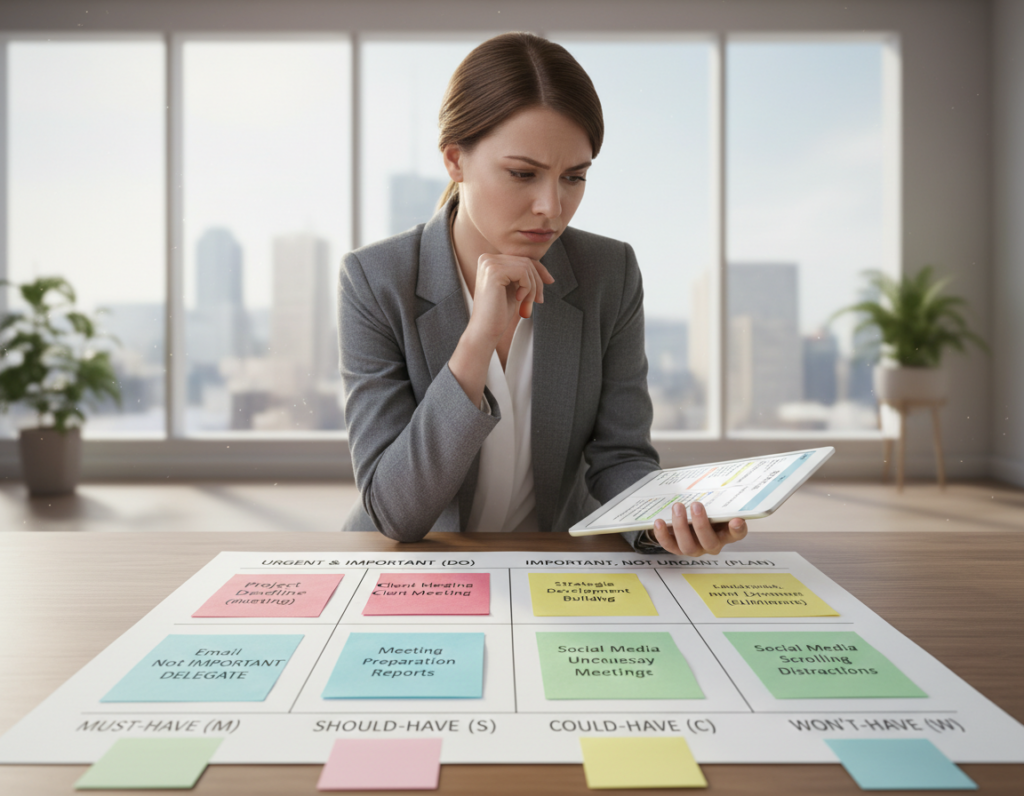
Quadrants that drive action: do first, schedule, delegate, don’t do
Draw a quick 2×2 on a whiteboard, notebook, or notes app. Label the quadrants: Do First, Schedule, Delegate, Don’t Do. The visual split reduces overthinking and makes choices fast.
Examples for professionals:
- Do First: client escalation today (urgent + important).
- Schedule: career development or strategy work (important, not urgent) — put it on the calendar.
- Delegate: meeting notes formatting or admin edits (urgent, not important).
- Don’t Do: optional webinar or low-value items that drain time.
Must, should, could, won’t: a list-friendly alternative
If you prefer lists, use MoSCoW. Tag each to-do as Must, Should, Could, or Won’t. Cap Musts and ask: what breaks if this isn’t done today? That check stops “everything is a Must.”
Delegation realities and workarounds
If you lack people to hand off work to, simulate delegation: automate steps, use templates, batch similar items, or renegotiate scope and deadlines with stakeholders.
Practice: do a fast morning triage and a short mid-day reset to keep your priorities honest and your queue lean.
Eat the Frog and Most Important Tasks for Momentum on Important Tasks
Begin the morning with the one thing that, if done, makes the rest of the day easier.
How frog-first reduces procrastination and improves quality
Define the frog: a single task you are most likely to avoid that has outsized impact on results, reputation, or risk reduction.
Why it works: willpower and attention peak early. Finishing the hardest thing lowers anxiety and raises the quality of the following work.
MIT planning to anchor the day
When the hardest item isn’t the highest value, pick 1–3 Most Important Tasks (MITs) that make the day a success even if other things fail.
“If you must eat two frogs, eat the ugliest one first.” — Mark Twain
Evening and morning routines that automate execution
- Evening setup: choose tomorrow’s frog or MITs, gather files, and pre-write the first step.
- Calendar: block a focused slot for the frog and protect it with a short buffer.
- Morning rules: no inbox or social media until the frog is started; use a fixed timebox to avoid perfectionism.
| Role | Frog example | MIT pairing |
|---|---|---|
| Executive | Difficult conversation prep | Schedule 45-min prep + block call |
| Sales | Proposal draft | Draft outline + client time block |
| Engineer | Design doc | Write first section + review slot |
| Marketer | Campaign brief | Gather assets + kickoff block |
Practical pairing: combine MITs with time blocking so chosen priorities are not only listed but protected by the calendar. This is a reliable way to make hard things get done.
Time Blocking and Calendar Blocking to Own Your Day
Treat the calendar as a commitment device: assign hours to outcomes, not to vague to-do lists. This turns intentions into scheduled work and reduces reactive firefighting.
Timeboxing basics
Timeboxing means giving a fixed span to a task so you start and stop on purpose. Use long blocks (90–180 minutes) for deep work and short blocks (30–60 minutes) for admin or quick tasks.
Interruptions cost focus; a single disruption can erase about 30 minutes of effective time. Protect long blocks and plan shorter transition tasks around meetings.
Day theming for managers
Assign whole days to roles: leadership, strategy, execution, or cross-team meetings. This reduces context switching and helps projects move forward coherently.
Example: Monday — strategy and planning; Tuesday/Thursday — 1:1s and reviews; Wednesday — heads-down project work.
Buffer strategy and protecting blocks
Reserve 15 minutes between meetings and keep ~25% of your working day unscheduled to absorb urgent requests. Treat blocks like client appointments: mark them “busy” and add clear titles.
If meetings multiply, start by blocking the first 60–90 minutes for your MIT or frog. That small step often restores control quickly.
Pairing blocks with Inbox Zero
Add two dedicated email blocks to the calendar and close your inbox outside those windows. Convert action emails into tasks and schedule them into your blocks so messages stop stealing time.
| Element | Typical length | Why it helps |
|---|---|---|
| Deep work block | 90–180 minutes | Supports complex tasks and creative focus |
| Admin block | 30–60 minutes | Clears small tasks without fragmenting focus |
| Meeting clusters | 2–4 back-to-back slots | Concentrates interruptions and frees other blocks |
| Daily shutdown | 15–30 minutes | Plan next day and convert email items to tasks |
Pomodoro Technique and Single-Tasking to Beat Distractions
Short, focused sprints with built-in pauses can tame interruptions and restore steady momentum to your day.
The classic cadence: the pomodoro technique uses a 25-minute sprint + a 5-minute break, with a longer rest after several cycles. This creates urgency, reduces procrastination, and enforces recovery so you can return with fresh focus.
The classic cadence: focused work sprints with short breaks
Use a single task per sprint. Close extra tabs, silence notifications, and keep a small “distraction capture” note nearby to park intrusive thoughts.
How to customize intervals for deep work vs. admin tasks
Rules of thumb: 25/5 for admin and quick wins, 50/10 for sustained deep work, 90/15 for complex design or review. Shorter sprints help on low-energy days to rebuild momentum.
Task batching to reduce context switching across projects and tools
Group similar tasks—approvals, expense entries, quick replies—into one block to cut tool switching. Schedule reachable windows between sprints if your role demands responsiveness.
- Tools: Pomofocus or a phone timer and a website blocker work well.
- Metrics: fewer mid-task switches, more completed next actions per block, and less end-of-day mental fatigue.
| Cadence | Best for | Typical benefit |
|---|---|---|
| 25/5 | Admin, email | Fast wins, steady time use |
| 50/10 | Deep writing, analysis | Longer immersion, better output |
| 90/15 | Complex projects | Fewer context switches, richer focus |
“Focus is less about willpower and more about designing short windows that make work startable.”
Kanban and Bullet Journaling for Visual Workflow and Planning
Combining a three-column board with a fast notebook method gives you both overview and capture in one place. Use the board to see flow and the journal to capture details you’ll review later.
Personal Kanban: To Do, Doing, Done
Setup: create three columns—To Do, Doing, Done—on a whiteboard, Trello, Notion, Asana, or with sticky notes.
Keep cards short: a clear title, one or two lines of context, and an estimate. Move cards as work progresses so progress is visible at a glance.
Work-in-progress limits
Set WIP limits for the Doing column—usually 3–5 items. This discourages starting too much and forces finishing.
When Doing is full, choose one item to finish or move a lower-value card back to To Do. The limit is the secret to sustained flow.
Bullet journaling essentials
Use an index, future log, monthly log, and daily log. Rapid-log with simple symbols for tasks, events, and notes.
Migrate unfinished tasks at the end of each day or week so the notebook stays current. This keeps the journal from becoming a graveyard.
Analog vs. digital: choose what fits
| Analog | Digital | Hybrid |
|---|---|---|
| Better focus, tactile memory, quiet place | Searchable, sharable across teams, cross-device capture | Take meeting notes in a notebook, then add next actions to your app |
| Best for solo work and planning | Best for distributed teams and syncing | Balances calm capture with task tracking |
| Low tech, low setup | Requires setup but scales | Maintenance rule: 10-minute daily journaling |
Quick rules to keep these methods from becoming busywork: limit journaling to 10 minutes daily, run a weekly reset, and move concrete next actions from notebook to your task manager each day.
Goal-Driven Systems for Long-Term Goals and Sustainable Time Management
Long-term results require turning big ambitions into repeatable, scheduled work that survives busy weeks.
SMART as a project kickstart
SMART breaks a large aim into clear parts: Specific, Measurable, Assignable, Realistic, Timely. Use it to define milestones, assign owners, and set realistic deadlines. This converts a vague objective into concrete steps you can calendar and track.
Track Biological Prime Time
Record energy and focus hourly for two weeks using RescueTime or Toggl. Find your peak window and protect that block for strategic work. Adjust schedules so deep work maps to your highest-energy slots.
Habit stacking: Don’t Break the Chain
Pick one small behavior to do every day and mark an X on a calendar. On busy days keep the minimum tiny. The visible streak builds momentum and turns small actions into compound gains.
Zen to Done for steady habit change
Zen to Done focuses on habits: quick decisions, 1–3 weekly outcomes, and single-task focus. Use it as a lighter alternative to gtd or heavier list architectures like Things when you need less overhead.
Weekly review ritual
- Clear inboxes and update project lists.
- Pick MITs and schedule the first deep block for Monday.
- Note what drained or energized you and adjust next week’s steps.
| Method | Practical use | Quick benefit |
|---|---|---|
| SMART | Kickstart big projects | Clear milestones and ownership |
| Biological Prime Time | Schedule deep work | Better output per hour |
| Don’t Break the Chain | Daily habit build | Compounding progress |
| Zen to Done | Simpler habit-based flow | Less overhead, steady wins |
Conclusion
The right mix of capture, triage, and calendar protection turns scattered work into steady progress.
Start here: pick a single capture method (GTD-lite or an upgraded to-do list), one prioritization approach (Eisenhower or MoSCoW), and a time method (time blocking or Pomodoro). Use that stack for two weeks.
Week 1: set up your inbox, clean five vague entries, and commit to a daily MIT. Week 2: add scheduled blocks and a short weekly review. Measure outcomes, not aesthetics.
Keep tools minimal. If your productivity system needs more than ~10 minutes daily plus one weekly review, simplify. Switch approaches when your role or workload changes.
Call to action: choose one method now, book your first review, and protect one block this week for important-but-not-urgent work.